

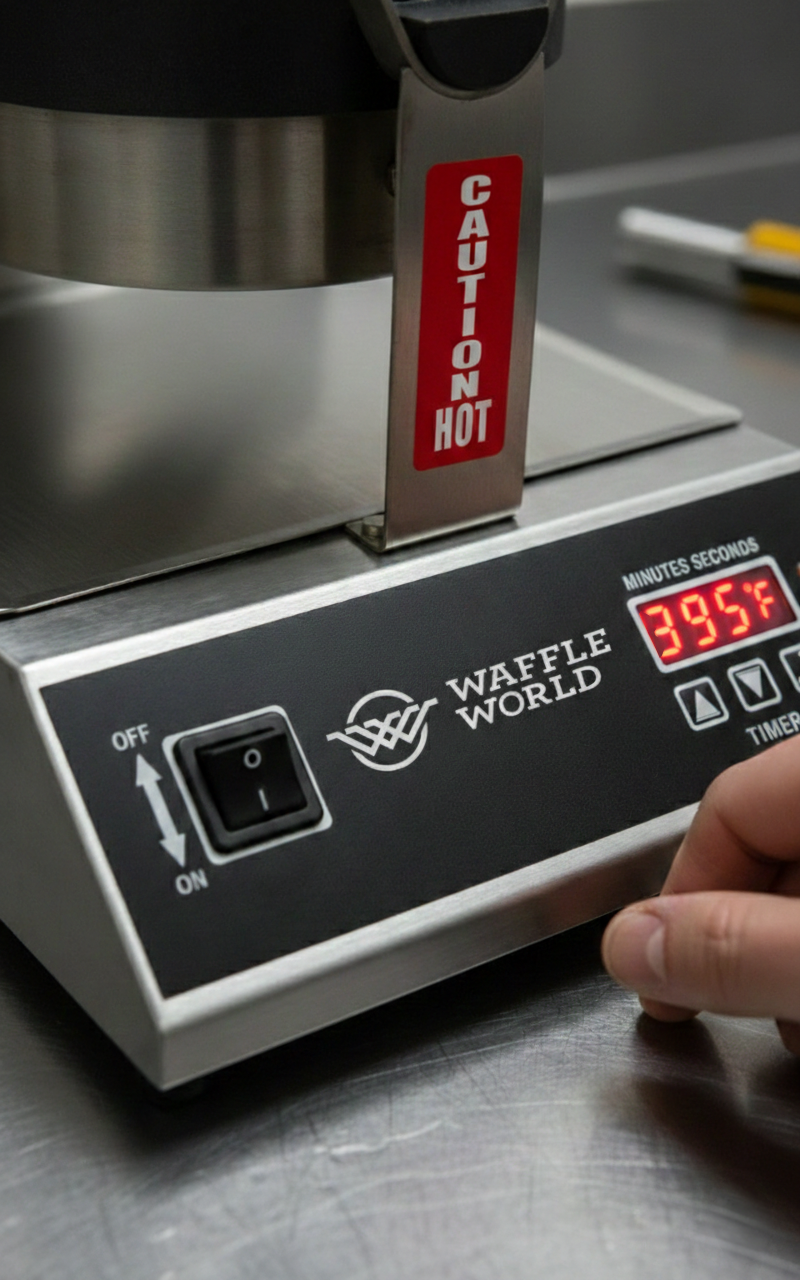
Waffle World Waffle Maker
WW-01
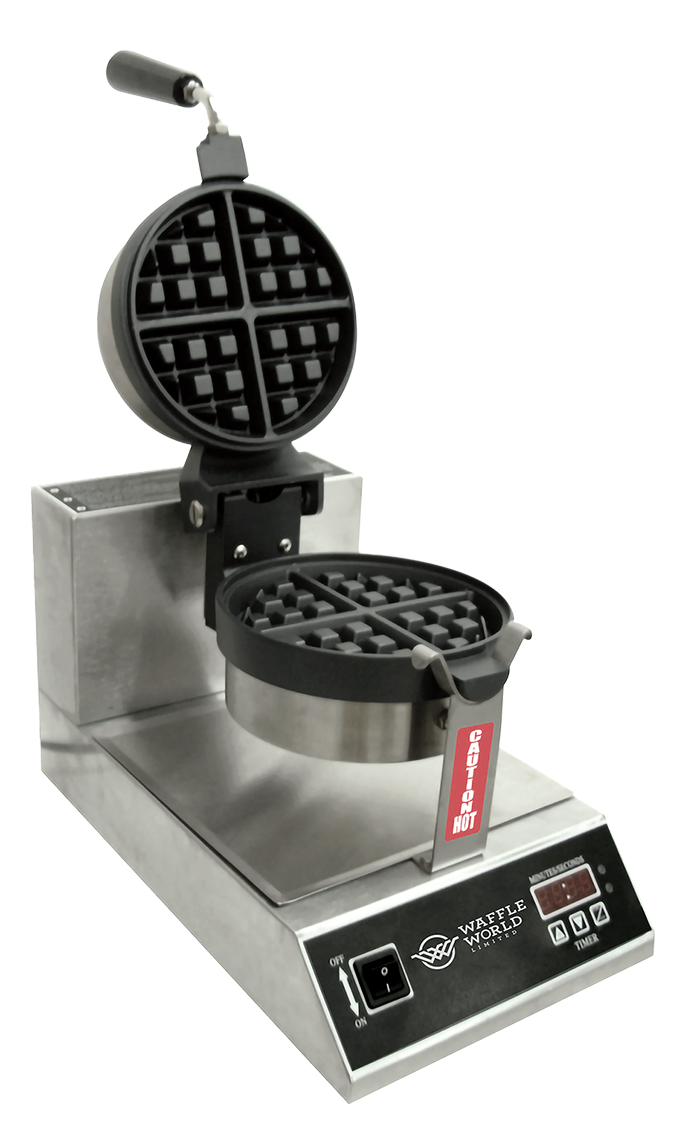
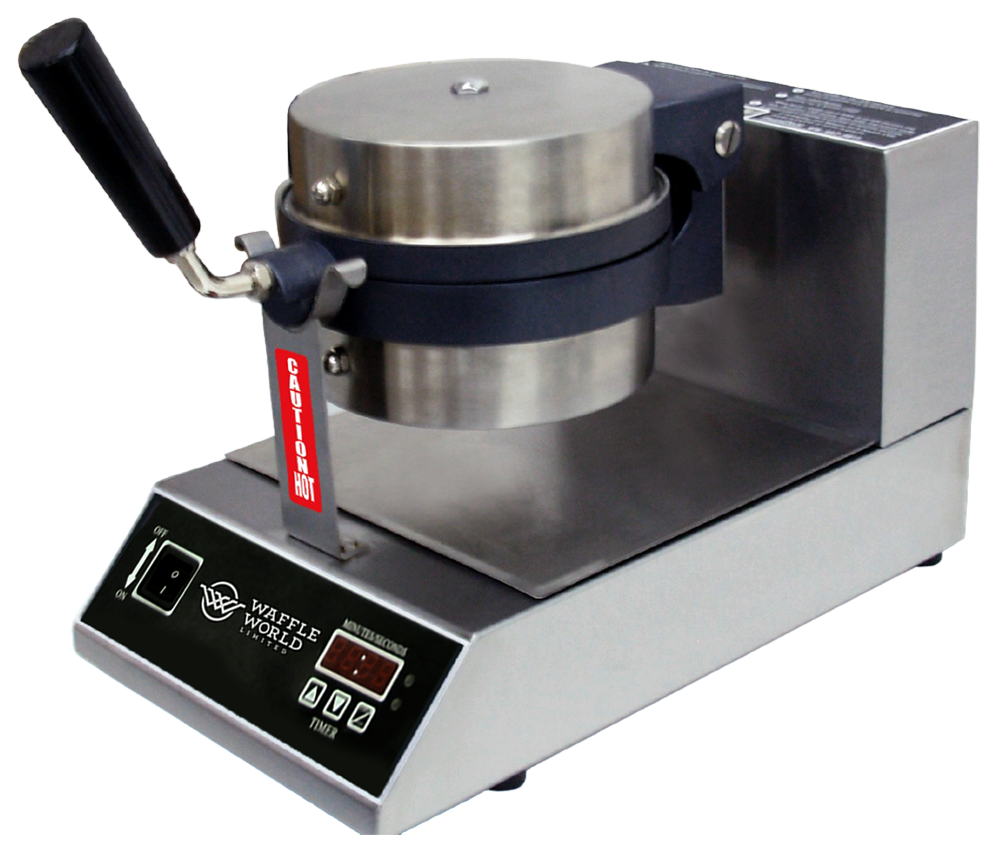
WW-01 : WAFFLE BAKER SPECIFICATIONS
Power: 110V/ 50Hz, 1200 watts (12 amps)
Dimensions: 10" wide, 18" deep, 12" tall
Height open: 23"
Net Weight: 24 lb
GENERAL GUIDELINES
This unit reaches high temperatures and should always be handled with Caution.
This is a commercial food appliance and required daily cleaning as per local Health regulations.
Must be kept away from sources of water.
Unit requires a designated 15 amp circuit.
Must be kept away from other sources of heat.
Unit should be disconnected when not in use.
Use only plastic utensils, do not use any kind of metal utensils such as tongs, ladles, knives or spoons on the Teflon coated surfaces.
OPERATION
Turn unit on.
Apply approved Waffle baker Conditioner/Waffle Release spray liberally to both cooking surfaces.
When unit reaches temperature, amber light will glow.
Pour 6 oz of batter onto the bottom cooking grid using a plastic ladle or pitcher, covering all of the cooking surface.
Close waffle baker and turn clock-wise (right).
Initiate timer by pushing START/STOP button.
Unit will beep when cooking cycle is complete. Push START/STOP to silence buzzer.
Rotate waffle baker back to start position and lift the top.
Remove waffle with high temperature plastic utensil of your choice. Remember to not use metal utensils.
CHANGING THE TIME
TO INCREASE TIME:
Press and hold (+) button
Press start/stop button for each second you want to increase the time
When you have reached the time setting you want release both buttons
TO DECREASE TIME:
Press and hold (-) button
Press start/stop button for each second you want to decrease the time
When you have reached the time setting you want release both buttons
CHANGING THE TEMPERATURE
TO INCREASE THE TEMPERATURE:
Press and hold set button
Then press start/stop button, temperature will appear
When the temperature appears, release both the set button and the start/stop button
Press (+) button for each degree of temperature you want to increase by
When you have reached the temperature you want, push the set button
TO DECREASE THE TEMPERATURE:
Press and hold set button
Then press start/stop button, temperature will appear
When the temperature appears release both the set button and the start/stop button
Press (-) button for each degree of temperature you want to decrease by
When you have reached the temperature you want, push the set button
PROPER STORAGE
This machine is a table top unit and should be placed on a stable counter or table, kept at least two inches from the wall and enough clearance all around for proper use.
Not meant for outdoor or portable use.
If transported, unit should be moved in its original packaging to prevent possible damage
NOTE: DO NOT IMMERSE/SUBMERGE UNIT IN WATER OR SPRAY DOWN WITH HOSE AS WATER WILL DAMAGE THE ELECTRONICS CAUSING UNIT FAILURE AND POSSIBLE RISK OF ELECTRIC SHOCK. THIS WOULD VOID ANY AND ALL WARRANTIES AND MAY CAUSE INJURY AND OR DEATH.
TROUBLE SHOOTING WHEN WAFFLES ARE STICKING
Immediately steam clean your waffle baker by placing 2 very wet paper towels on the bottom grid then close, rotate handle 180 degrees and press the start button. When timer sounds press stop button, open and repeat procedure again without rotating handle. Remove paper towel and wipe the rest of the surfaces of the waffle baker then turn it off.
Let grids cool down to room temperature.
Before you turn the waffle baker back on, spray the top and bottom grids with Waffle World Grid Conditioner. Spray enough conditioner to leave a milky white appearance on both the top and bottom grids. Do not use any other product such as Pam for this procedure.
Turn waffle baker on, the top light will show green.
When and only when the bottom light turns yellow, can you start to bake waffles. If you start before the bottom light is yellow you will have a sticking problem for certain. It will take approximately 15-20 minutes for the waffle baker to reach the proper cooking temperature.
After removing the baked waffle from the waffle baker use a brush to remove any residue waffle pieces from both grids before baking again.
Always leave waffle baker open, except when you are baking or steam cleaning it.
CHANGING WAFFLE BAKER GRIDS
Download our step-by-step guide showing exactly how to remove and install new waffle baker grids. Clear photos walk you through each step so you can complete the process quickly and safely. A French version of the guide is also available.
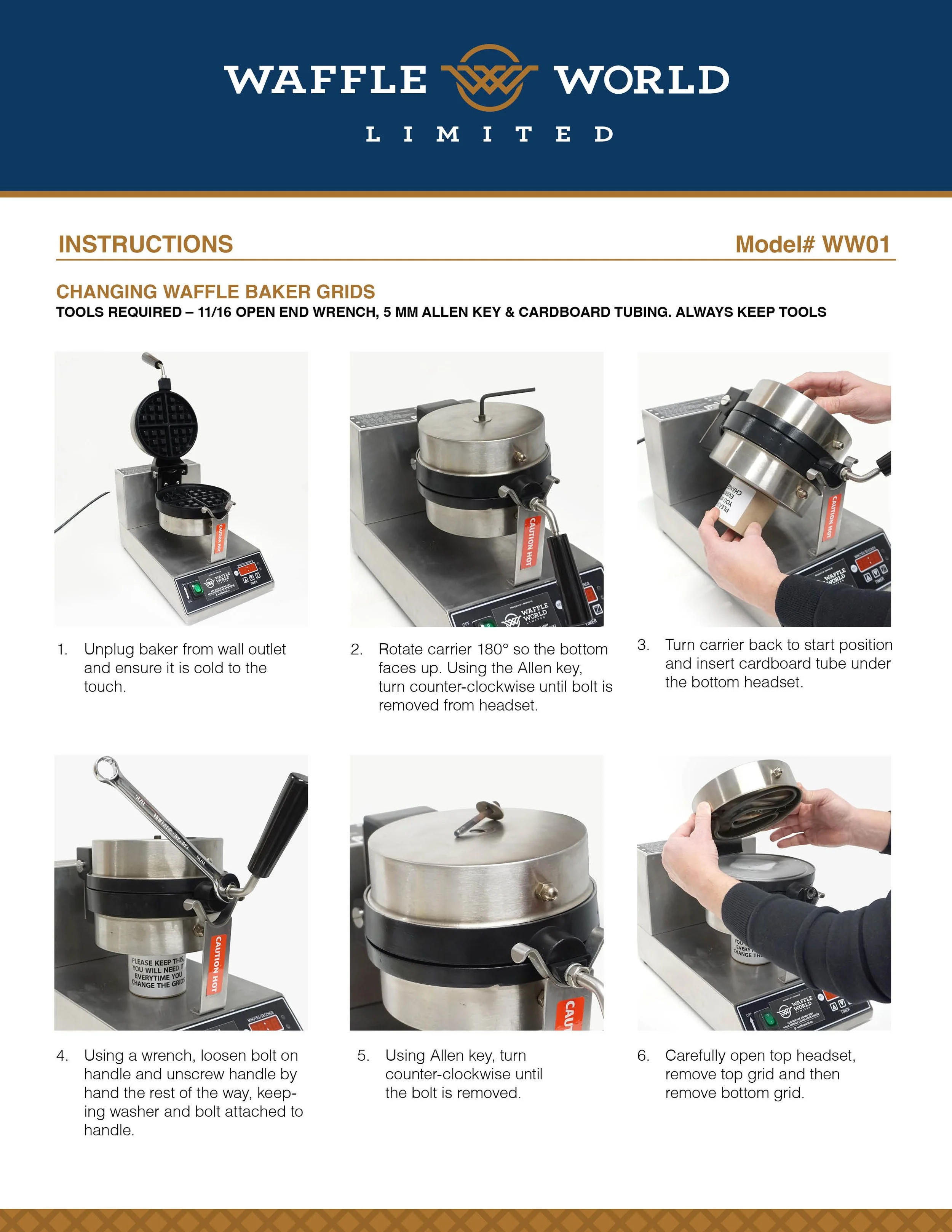
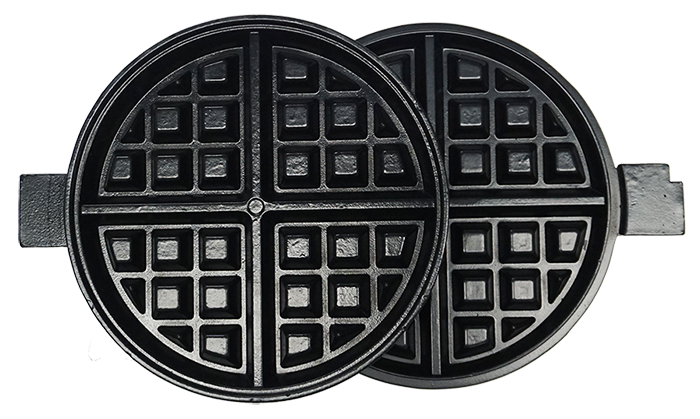
TOOLS REQUIRED – 11/16 OPEN END WRENCH, 5 MM ALLEN KEY & CARDBOARD TUBING
ALWAYS KEEP TOOLS
Unplug baker from wall outlet and ensure it is cold to the touch.
Rotate carrier 180° so the bottom faces up. Using the Allen key, turn counter-clockwise until bolt is removed from headset.
Turn carrier back to start position and insert cardboard tube under the bottom headset.
Using a wrench, loosen bolt on handle and unscrew handle by hand the rest of the way, keeping washer and bolt attached to handle.
Using Allen key, turn counter-clockwise until the bolt is removed.
Carefully open top headset, remove top grid and then remove bottom grid.
Remove new grids from box and place old grids in box. Close and seal with tape and use provided return slip to cover original shipping label.
Carefully place the new bottom grid onto the bottom headset — be sure the temperature sensor aligns with the hole in the grid.
Place top grid on top of bottom grid and close top headset. Ensure top and bottom grids are aligned.
Take top bolt and washer and hand-tighten the topwhile maintaining grid alignment. Use Allen key to snugly tighten the rest of the way. Ensure grids stay aligned. DO NOT OVER TIGHTEN.
Screw in handle, making sure the bolt and lock washer are correctly in place. Use a wrench to tighten bolt while holding handle in proper upright position.
Holding bottom and top headsets together, rotate counter-clockwise slowly while removing the cardboard tube.
Ensure grids are still aligned, then insert bolt with washer on bottom headset. Use Allen key to snugly tighten. DO NOT OVER TIGHTEN.
Spray grids with only approved waffle baker conditioner/release spray and turn on.
Call Purolator to arrange pickup of old grids.
CLEANING INSTRUCTIONS
In order for unit to consistently perform properly, it is imperative that you follow these very simple cleaning procedures at the end of each day.
CAUTION: SOME OF THESE PROCEDURES ARE TO BE PERFORMED WHILE THE MACHINE IS STILL HOT AND THEREFOR ATTENTION AND CAUTION ARE STRONGLY REQUIRED. HEAT RESISTANT GLOVES ARE RECOMMENDED DURING THESE PROCEDURES
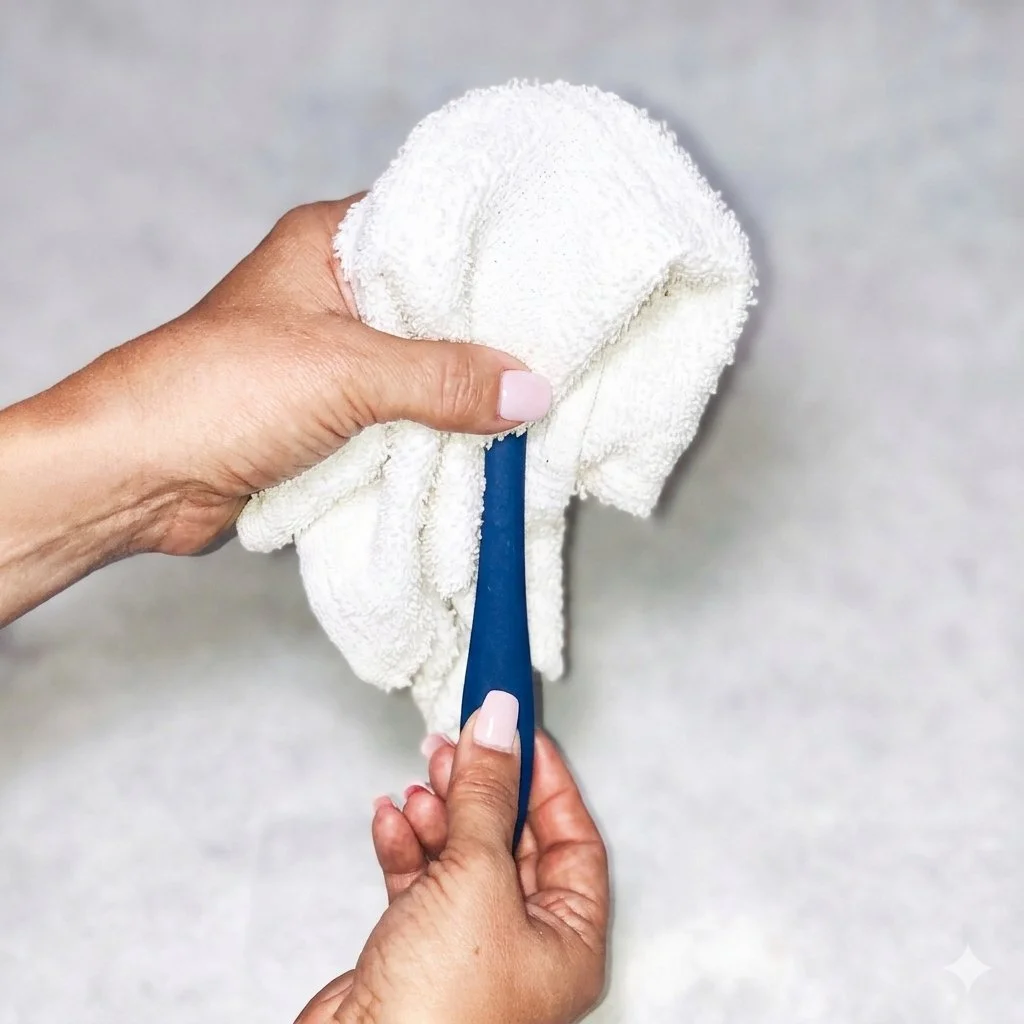
While machine is still hot the end of each shift, soak a cotton cloth with water and place over the lower cooking surface and then close the top and let sit for 1:30 minutes.
Lift the top and remove the hot towel with a plastic utensil.
Fold it over a high temperature plastic spatula and clean in between the griddles and grooves removing any loose particles or build up. (pic 1)
Other than the base of the unit, it is best to clean the remaining sections of the waffle maker when it has cooled down to avoid possible injury from touching any of the hot surfaces.